Trend · 10-second dance clip
AI Twerk
Upload one photo of an adult and get a 10-second HD twerk video with you as the dancer: the same side-on hip bounce and the same beat as the clip going around. Ready in about 7 minutes.
Your photo is deleted when the video is done (within 1 day at most). Privacy
1 · Pick a dance
All 11 AI dances →2 · Add your photo
3 · Make it
Your first video$7.99$9.90then $9.90 · one-time
Credits never expire · Secure checkout by Stripe
No app · No watermark · Failed videos refunded
Independent fan-made tool, not affiliated with the original creators or anyone in the clip. Source clips are cropped, blurred or recreated so that no identifiable bystanders appear. Celebrities, public figures and minors are not allowed; blocked uploads are refunded automatically. Operated by the Star in the Trend team (hello@starinthetrend.com). Takedown requests
At a glance
- You upload
- One photo of one adult: you, or someone who said yes. Full length works best for this dance.
- You get
- A 10-second MP4, portrait HD 960×1664, one take, with the original beat.
- Wait
- About 7 minutes. You can close the tab; we email you.
- Price
- $7.99 for your first video, $9.90 after that. No subscription.
- Preview
- No free preview. The test clips below are real outputs; a failed or blocked video returns the credit.
- Kept
- The video stays in My videos for 7 days. The photo is deleted once the video is done.
What is the AI twerk trend?
Twerking is a dance built on fast hip and lower-body bounces, rooted in New Orleans bounce music. The AI twerk trend takes it further: people turn a single photo into a clip of themselves twerking, usually as a joke for their own feed or a group chat.
The clip used here is a solo dancer in a white crop top and grey sweatpants, filmed side-on in front of a closet door in one continuous take. Side-on is what makes the movement read clearly, so that is the angle your video keeps.
- 1990sBounce music reaches the New Orleans club scene, and twerking becomes its signature dance.Source: Wikipedia, "Twerking"
- 2013The dance goes viral far beyond New Orleans; "twerk" is runner-up to "selfie" for Oxford Dictionaries' Word of the Year.Source: Wikipedia, "Twerking"
- 2025–2026Photo-to-video apps make "me, twerking" a one-photo joke; there is no single original AI clip, so we picked one clear solo take.
Second by second
| Seconds | What happens | What it needs from your photo |
|---|---|---|
| 0–3 s | Side-on to the camera, hips bouncing on the beat, arms bent. | Your outfit from the side: the AI fills in what the photo cannot show. |
| 3–4 s | Bends forward and looks back over the shoulder at the camera. | A clear face; this is the closest look at it. |
| 4–6 s | Back to the camera, keeps bouncing, then turns around. | The back of your outfit and hair are invented from the front view. |
| 6–9 s | Faces the camera and waves an arm toward it. | Both arms in the photo give the AI the least to guess. |
| 9–10 s | Bends forward again and looks back. | — |
What this version does and does not do
- Does: copies the moves, timing and camera of one real solo twerk clip, indoors in front of a closet door.
- Does not: let you pick a different song, background or dance speed, or add a second person.
- Does not: work from a photo with more than one person, or of anyone under 18.
Who can be in it
Adults only, and only you or someone who said yes. A twerk video of a person who never agreed is exactly the kind of fake this tool is not for, so every upload needs that confirmation, and photos of minors are not allowed.
How to make an AI twerk video
- Twerk is already picked in the tool at the top of this page.
- Upload a photo of one adult standing straight and facing the camera. A full-length photo gives the hips and legs the most to work with; the half-body sample below shows what a waist-up photo gives you.
- Tick the box that the photo is you or an adult who agreed, sign in, and press Make my dance video. The 10-second clip takes about 7 minutes, and we send you an email when it is done.
- Download the MP4 from My videos within 7 days and post it with the original sound.
How we tested the AI twerk clip
Every person below is AI-generated, not a real person. The clips are unedited outputs, upscaled to HD the same way yours is.
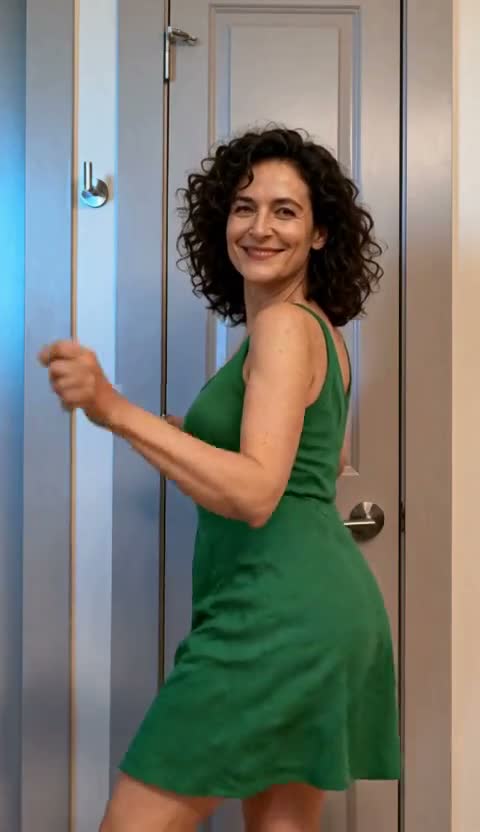
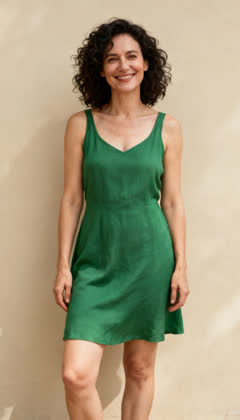
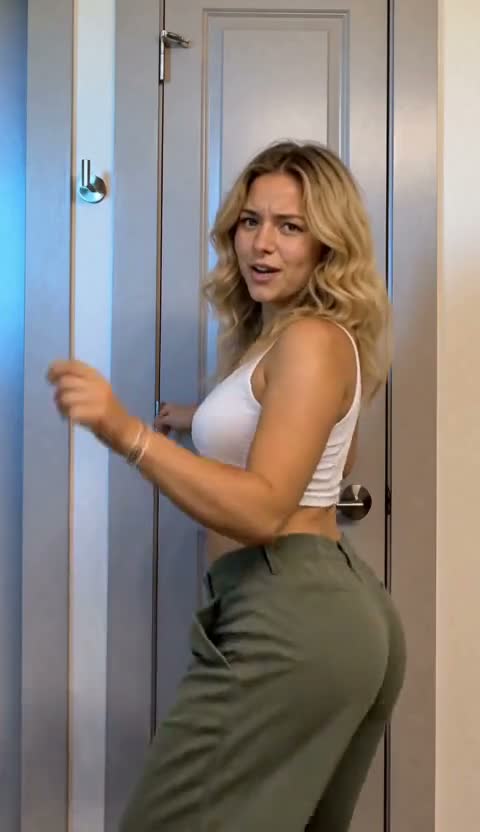
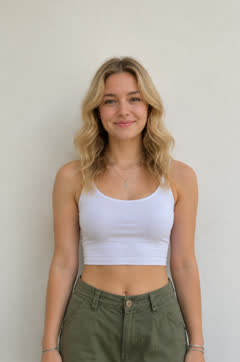
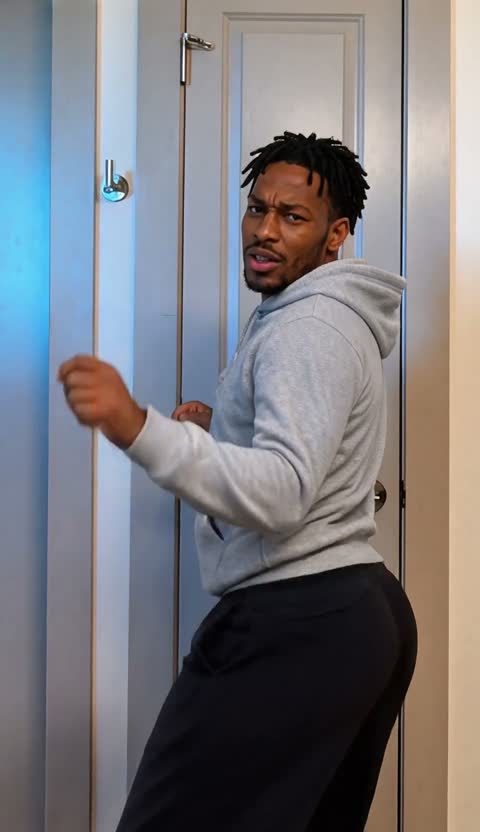
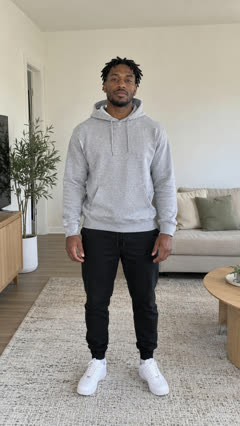
Whatever the photo leaves out, such as feet or the back of an outfit, the AI fills in, so a full-length photo gives the closest match to what you actually wore.
How it compares
| This page | Prompt-based AI dance generators | CapCut-style templates | |
|---|---|---|---|
| What you give it | One photo | A photo plus a text prompt | Your photos, inside the app |
| Where the moves come from | Copied from one real twerk clip, beat for beat | Invented by the model; different every run | Set by the template |
| Choice of dances | This one clip (other trends on the home page) | Any dance you can describe | Whatever templates exist that week |
| Cost | $7.99 first video, then $9.90 | Usually a subscription or credits | Often free or included in the app's plan |
| Wait | About 7 minutes | Often faster | Usually seconds to minutes |
This page makes this exact twerk clip with you in it. Other trends have their own pages, listed on the home page.
Price
Your first video is $7.99, then $9.90 each, or less in packs on the pricing page.
Last updated · tested on 3 AI-generated people
AI twerk questions
What is AI twerk?
A short video where the person in an ordinary photo twerks, made by an AI that copies the moves from a real twerk clip onto them. Here you upload one photo and get that clip back.
How long is the AI twerk video?
10 seconds, portrait HD 960×1664, with the original sound. It is one continuous side-on shot.
What photo works best for AI twerk?
A full-body photo of one adult standing straight, face to the camera, in clothes you would be happy to see moving. Waist-up photos work too, just with less of the legs.
Can I make an AI twerk video of my friend?
Only if they are an adult and agreed to it. You confirm that before every video, and photos of minors are not allowed.
Will the AI twerk video look like me?
Your face, hair and clothes come from the photo, and in our tests the face held steady even in the over-the-shoulder looks. What the photo does not show, such as your back or your shoes, is invented, so a full-length photo gets closest.
Can I use a selfie?
A mirror selfie works: in our tests the phone disappeared and the outfit carried over. An arm's-length selfie that shows only your head and shoulders leaves the AI to invent your whole body, so for this dance a full-length photo is the better pick.
Is the music included, and can I post it on TikTok?
Yes, the clip keeps the original beat. It is your video to post on TikTok, Reels or Shorts; the sound belongs to its creators, so use the platform's own sound if it asks.
How much does an AI twerk video cost?
$7.99 for your first video and $9.90 after that, paid once; packs are cheaper per video. If the video fails or the photo is refused, the credit comes back automatically.